We use cookies to make your experience better. To comply with the new e-Privacy directive, we need to ask for your consent to set the cookies. Learn more.
Search results for: 'product free'
- Related search terms
- free codesys 186
- free+codesys 186
- free+plc 147
- free for 153
- free+for 153
-
Free!
 CODESYS Package Designer 000033$0.00
The CODESYS Package Designer provides an intuitive user interface and wizards for creating CODESYS packages, which can be used to extend CODESYS.
Learn More -
 Janz Tec MQTT library for CODESYS SL 2312000002$59.00 As low as $47.79
MQTT is a Client Server publish/subscribe messaging transport protocol. It is light weight, open, simple, and designed so as to be easy to implement. These characteristics make it ideal for use in many situations, including constrained environments such as communication in Machine to Machine (M2M) and Internet of Things (IoT) contexts where a small code footprint is required and / or network bandwidth is limited.
Janz Tec developed a CODESYS library which implements the MQTT protocol. This way users can add the MQTT protocol easily to their own IEC 61131 applications. The Janz Tec MQTT library for CODESYS implements client functionality. It is completely written in IEC code which guarantees the library can be used on any type of target system.
Learn More -
Free!
 Simulink PLC Coder(TM) Import 000062$0.00
The CODESYS PlugIn “Simulink PLC Coder Import” makes it easy to import files and update components from Simulink PLC Coder.
Learn More -
Free!
 CODESYS Building Automation 000128$0.00
The “Building Automation library” includes function blocks intended to support application development in the building automation field.
Learn More -
Free!
 CODESYS Installer 000127$0.00
The CODESYS Installer manages the local installations of different CODESYS versions and provides support for their deployment and update.
Learn More -
Free!
 CODESYS V2.3 Converter 000109$0.00
The CODESYS V2.3 Converter enables you to open and import projects edited with CODESYS V2.3 with CODESYS V3.5.
Learn More -
Free! New!
 CODESYS Security Agent 000093$0.00
The feature „CODESYS Security Agent“ is designed to configure and control security-related issues in a CODESYS environment. The Addon is available in the CODESYS Store and will be extended stepwise in future versions.
Learn More -
Free! New!
 CODESYS 4 2101000024
CODESYS 4 is a web-based IEC 61131-3 development environment for industrial control and automation technology, available for Windows x64, Linux x64, and Linux ARM64.
Learn More -
 Pigeon for CODESYS Control 000099$0.00
CODESYS Control for Pigeon allows users to program the Pigeon computers by using the CODESYS Development System.
Learn More -
 AnyViz Cloud Adapter 000089$0.00
Turns your PLC into an IoT gateway. AnyViz is probably the easiest way to monitor, operate and analyze machine and plant controls remotely.
Learn More -
 Iono Pi Library for CODESYS 000102$0.00
The package “Iono Pi Library for CODESYS” contains all the required components and examples to use the CODESYS platform on your Iono Pi: an extremely versatile Input/Output module based on Raspberry Pi
Learn More -
 STweep Formatter for CODESYS (Demo) 2101000014$0.00
STweep is a must-have tool for developers and companies who want to speed up development.
STweep for CODESYS is a source code formatter for Structured Text.
It helps you enforce a consisting code style based on your preferences.This is a 30 day unrestricted demo.
Learn More -
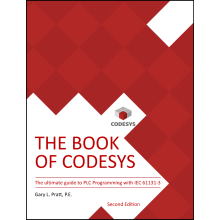 The BOOK of CODESYS - Teaser 000123$0.00
Introducing The Book of CODESYS, the ultimate guide to mastering IEC 61131-3 programming with the CODESYS Integrated Development Environment (IDE). This comprehensive resource is an adaptation of the acclaimed CODESYS Intensive Training Course. The book offers over 60 hours of detailed instructional content, graphics, and exercises at a fraction of the cost.
The Second Edition has hundreds of new and significantly revised pages offering fresh insights, expanded labs, and the latest best practices for CODESYS and IEC 61131-3.
Learn More -
New!
 Object Oriented Alarming Library (Demo) 2101000016$0.00
The Object Oriented Alarming (OOA) Library of ControlSphere Engineering enhances the CODESYS Alarm Manager to allow objects (Function Blocks) to create and activate their own alarms.
This library provides access to the best features of the Alarm Manager (such as Alarm Classes, Actions, Acknowledgment, Archiving, and Visualization integration) while eliminating the need for the PLC programmer to manually create and maintain alarm lists separate from the control code.
Learn More -
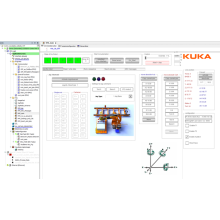 mxAutomation 604250$0.00
The "KUKA.PLC mxAutomation 3.3" command interface enables KUKA robots to be programmed via PLC function blocks. The included function block library and the small sample project show examples of simple programming, diagnostics and manual processes. The interpreter to be installed on the robot can be ordered from KUKA Roboter under KUKA.PLC mxAutomation 3.3 with the article number 00-397-175. This version 3.3 is suitable for the KUKA System Software V8.6 (KR C4) and V8.7 (KR C5).
Learn More